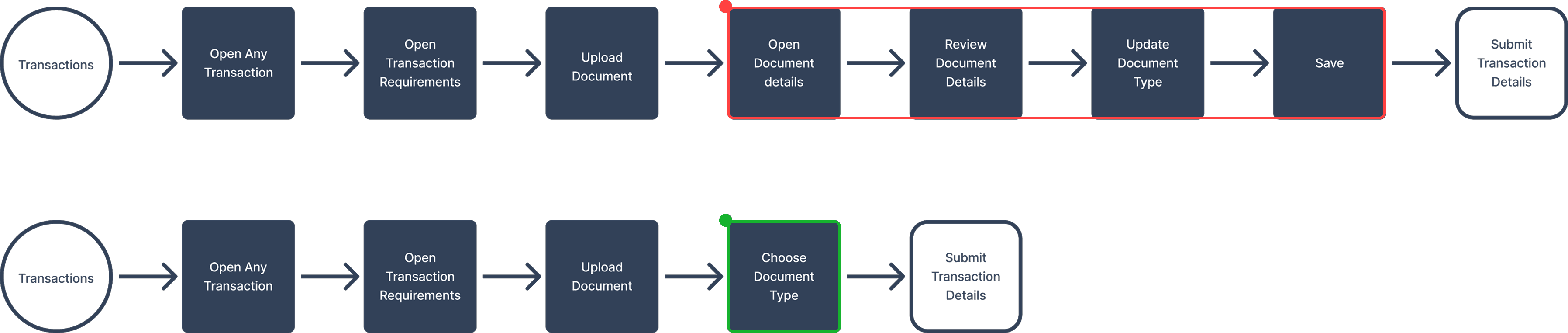
Users who work with documents daily reported that they had to open each document individually to update its information, making the process time-consuming and frustrating.
The updated workflow allows users to manage document data either in bulk or during individual uploads, so they can complete document details without opening each file separately.
Before
After

Armed with these findings, we initiated a mission to enhance the document upload classification, and view features
Block Aero users need an easy way to upload and manage multiple documents, update document information,
and quickly identify uploaded files.
This should allow our users to utilize the Block Aero platform for storing documents reliably and complete tasks efficiently.

Repetitive Document Handling
Block Aero platform users face workflow slowdowns because, after uploading documents, they need to open each one individually to assign a specific document type (e.g. Vendor Quote), as there was no detect/automate in this process.
Optimizing Document Classification
Identify potential improvements in the document classification during document upload.
Limited Document Visibility
The lack of visual feedback on document content makes it difficult to identify specific documents during searches, reducing workflow efficiency.
Enhancing Document Discovery
Explore opportunities to enhance the document viewing experience on the platform.
Need for Bulk Document Uploads
Users who work with a batches of documents need the ability to assign type to multiple documents during bulk uploads.
Efficient Document Handling at Scale
Find an efficient way to allow users work with documents while handling large-scale operations.
Research Keypoints
Objectives

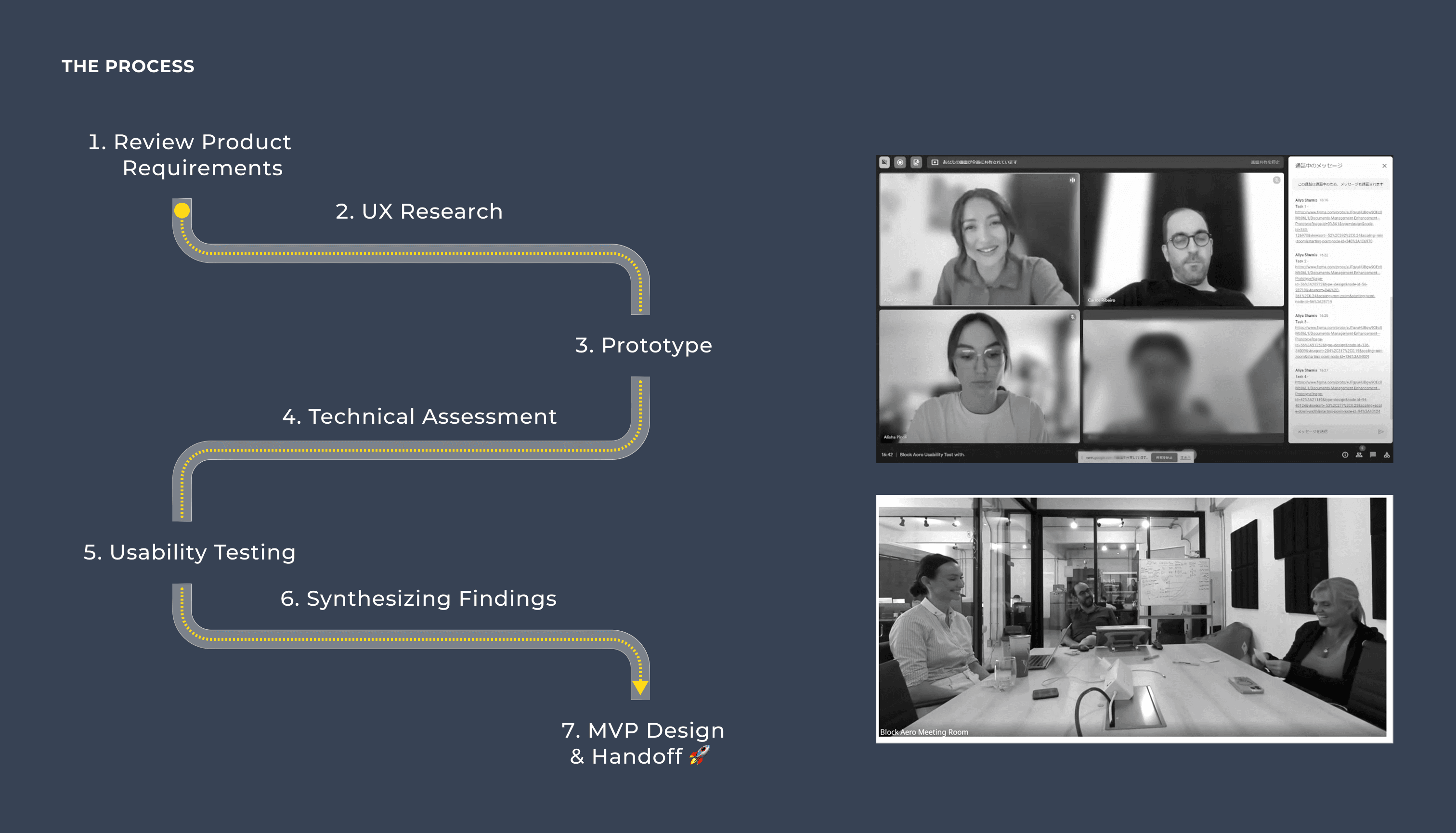
After synthesizing the data received from users and the business department, we summarized research keypoints

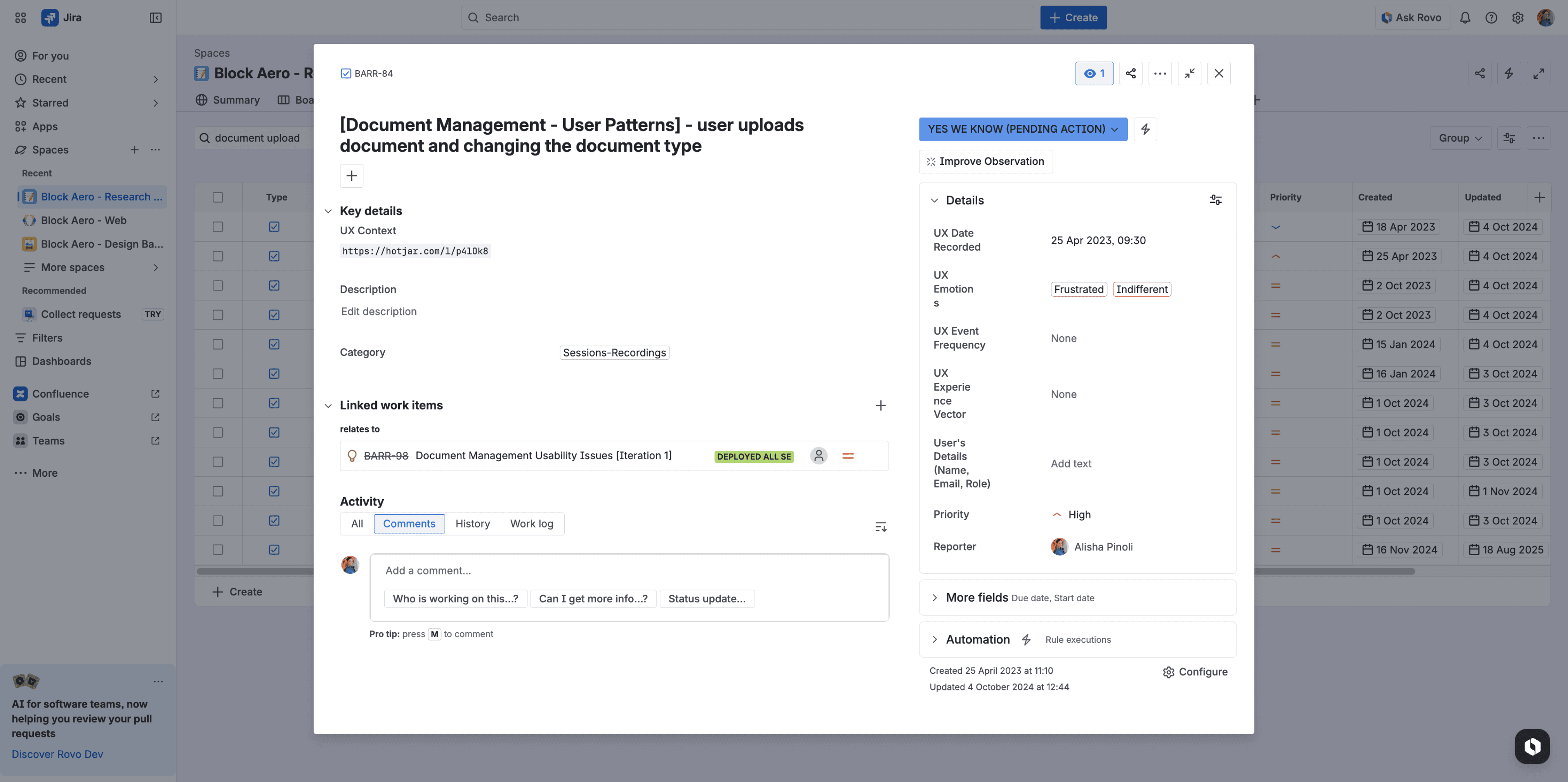
Example of an observation ticket from the research repository I created to systematize our UX research findings
RESEARCH INSIGHTS
Research revealed recurring difficulties in how users located and managed documents
Hotjar was a valuable tool we used for post-production research to review session recordings. These recordings revealed that users who frequently uploaded documents or attempted to locate them experienced persistent difficulties.
We shared these findings with our business analytics team for further validation, conducting user surveys to gather additional feedback.
SKETCHING & PROTOTYPING
After sketching some ideas, I began prototyping
Once ideas were sketched and then discussed which seemed most feasible given the constraints and resources at hand, I moved on to prototyping.
UNVEILING CHALLENGES
Document-heavy workflows create complexity in how users navigate and organize information
Our client's work revolves mostly around data, brimming with documents and sheets, which can feel overwhelming to navigate and organize. As a design team, our primary goal is to simplify and improve these processes, aiming for both functionality and aesthetics. This involves not just addressing issues during design and delivery phases but also continuously iterating on existing features. That’s why I felt really committed to researching ways to enhance features for our current clients.
FASTER DOCUMENT MANAGEMENT
Users can now label and organize documents 47% faster, improving efficiency in document-heavy workflows.
STRONG USER SATISFACTION
100% of participants expressed satisfaction with the document management feature.
IMPROVED DOCUMENT DISCOVERABILITY
7 of 9 participants appreciated the document view improvements, such as the ability to hover on thumbnails.
HIGH TASK SUCCESS RATE
78% of participants successfully completed all tasks.
Addressed Critical Pain Points
User interviews revealed technical limitations and bugs causing daily frustration. These insights allowed us to resolve reported issues, significantly improving platform reliability and user satisfaction.

Enhanced Product Scalability
Research led to improvements in bulk operations, a feature critical for larger companies. Adding this functionality made the product more scalable, accelerating growth by catering to bigger clients.

Improved Platform Usability and Experience
Usability studies revealed key insights, such as the effectiveness of thumbnail previews and a preference for the compact or card view. These improvements refined the interface and optimized workflows, fostering user retention and trust.

Increased Efficiency in Routine Tasks
By simplifying the user journey, we reduced the time required to complete routine tasks, resulting in increased productivity and a more intuitive experience. This aligns with our goal of minimizing friction in daily operations.
KEY RESULTS
ABOUT PROJECT
Improving document workflows to help users manage large volumes of documents more efficiently
This project focused on improving the document management and viewing workflows in the Block Aero platform, used by aviation maintenance teams managing large volumes of documents.
Through research, usability testing, and iterative design, the project focused on reducing repetitive actions and improving how users organize and locate documents within the platform.
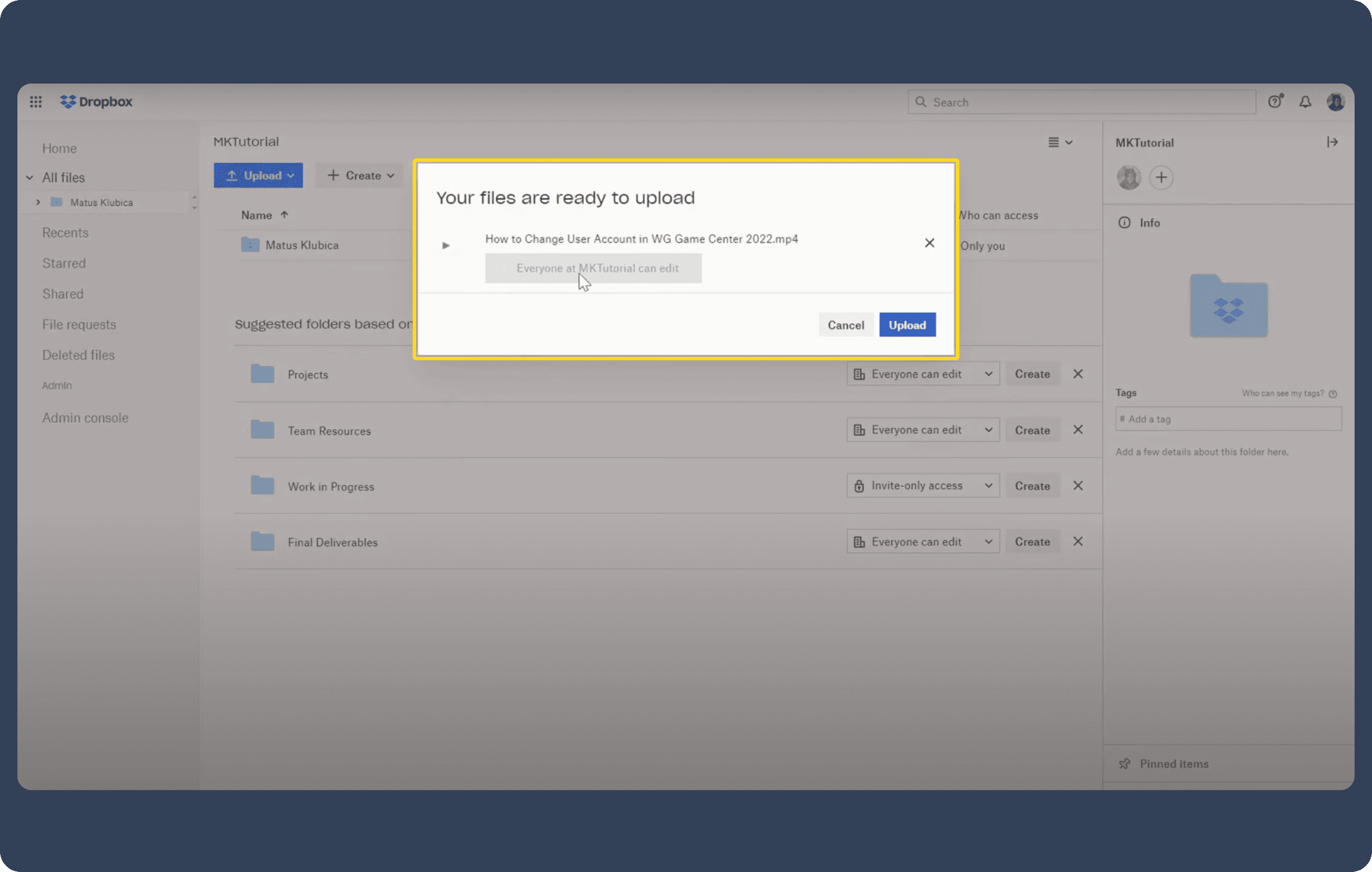
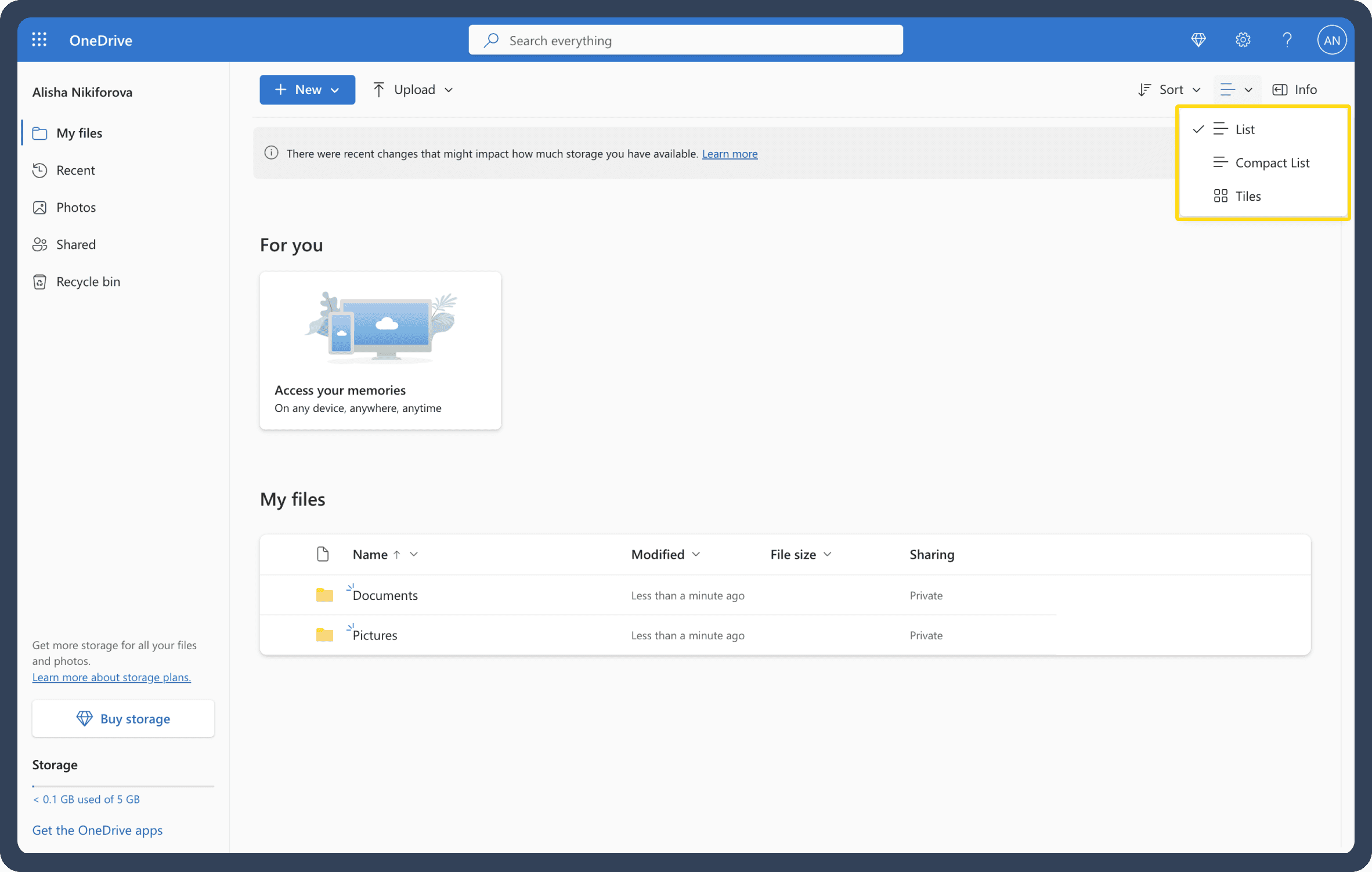
A comparative analysis of document management platforms helped identify familiar patterns to improve document workflows
Because Block Aero operates in a specialized aviation domain, direct product comparisons can be limited but still valuable.
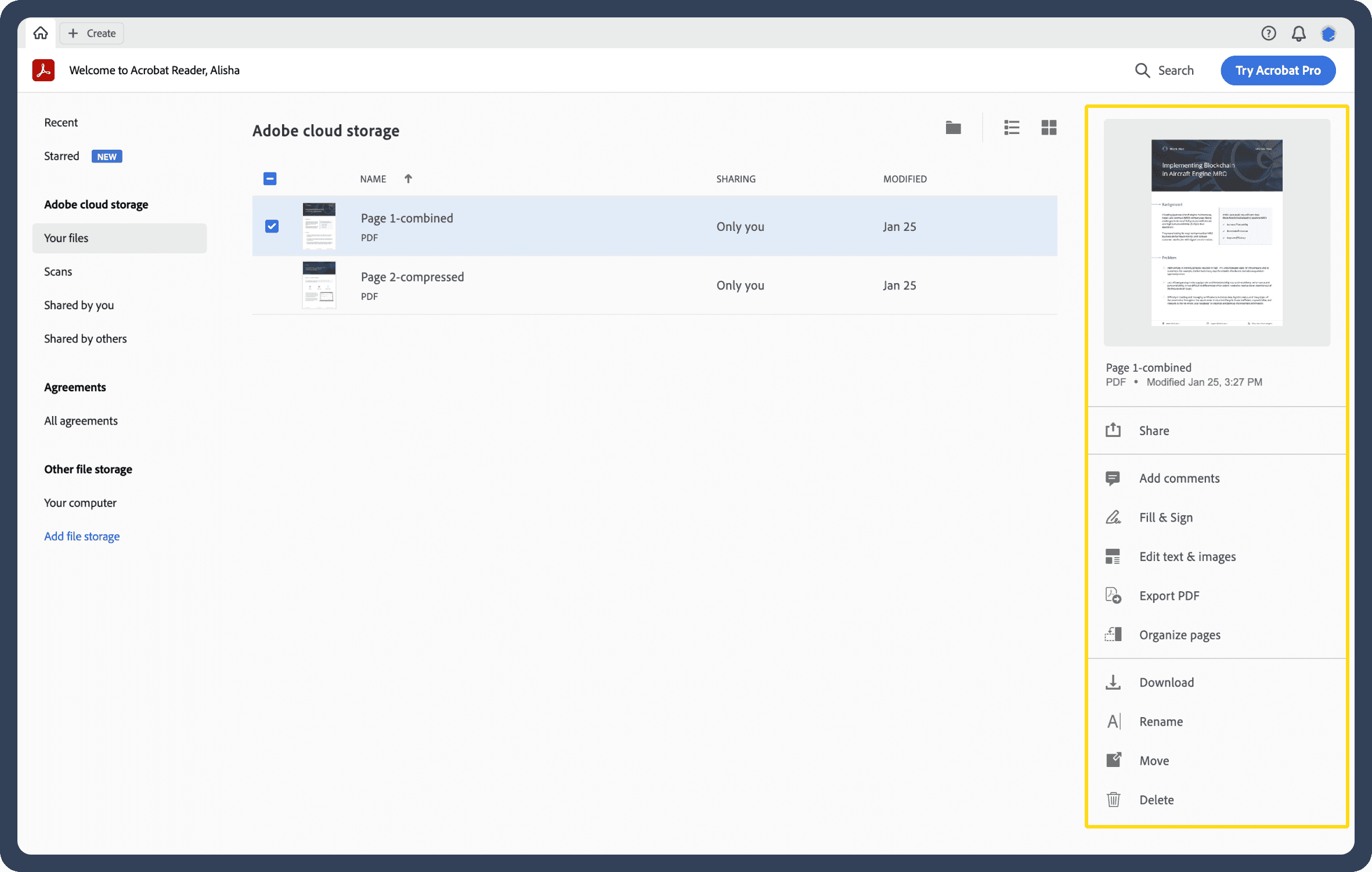
Following Jakob’s Law — using familiar interaction patterns, I analyzed B2B and document management platforms such as Nextcloud, Alfresco, Pydio, Zoho, as well as widely used tools like Google Drive, Dropbox, OneDrive, and Adobe Acrobat.
The analysis focused on usability, navigation, document views, upload workflows, preview capabilities, sorting methods, and quick editing tools.
COMPARATIVE ANALYSIS
“I primarily handle documents on the platform, so it would be great to have the ability to upload multiple documents simultaneously without the need to individually assign a document type to each file.”
Madison | Repair Order Manager | Block Aero User

“I appreciate the changes being made! Thank you for asking for my feedback.”
Hiroshi | Aircraft Domestic Engineer | Block Aero User
The sketches evolved into the following prototype.
One of the prototypes with added enhancements: different views option: compact, list, and card; thumbnail on hover

Optimizing Document Classification
Identify potential improvements in the document type classification during document upload.
Classify on Upload
Allow users to classify document type seamlessly via a simple dialog during documents upload process.
Enhancing Document Discovery
Explore opportunities to enhance the document viewing experience on the platform.
Quick Document Preview
Create a different document view options: compact, list, card. Add amplifier function to the preview, so that users don't need to open every document individually.
Efficient Document Handling at Scale
Find an efficient way to allow users work with documents while handling large-scale operations.
Automated Document Processing
Enhance the bulk upload feature for documents by incorporating advanced options, including machine learning capabilities for a quick document identification and processing.
Objectives
Proposed Solutions
OUTCOMES
NEXT UP


Asset Transfer in Aviation
When Complex Data Meets High-Stakes Ownership
Dive In
Dive In
How do you transfer aircraft assets, data, and documents without losing control or visibility?
WORKFLOW SIMPLIFICATION
Removing unnecessary steps shortened the process and improved document handling efficiency
The diagram shows how several intermediate steps were removed from the original flow. By allowing document details to be handled during the upload stage, the number of actions required to complete the task was reduced. This change helped streamline document handling across the platform.

Simplifying Document Workflows in Aviation SaaS
B2B Enterprise SaaS Platform
Year
Project Type
Deliverables
Team
2024
Feature Enhancement
Stakeholder alignment
Session recording analysis
User surveys
Comparative analysis
User journey mapping
Wireframes
Prototypes
Usability testing
Final design specs
2 Product Designers
2 Developers
1 Project Manager
1 Business Analyst
1 Quality Assurance